

기본 틀 : ! + enter
<!doctype html>
<html></html>
01 제목작성 | <h1> to <h6>
제목작성 : <h1>, <h2>, <h3>, <h4>, <h5>, <h6>
h1에서 h6으로 갈수록 중요도가 떨어지고 크기도 작게 표현된다
<h1>Hello</h1>
<h2>Hello</h2>
<h3>Hello</h3>
<h4>Hello</h4>
<h5>Hello</h5>
<h6>Hello</h6>
[ 결과 화면 ]
Hello
Hello
Hello
Hello
Hello
Hello
02 굵은 글자, 밑줄(underline) | <strong>, <u>
굵은 글자 : <strong> </strong>
밑줄(underline) : <u> </u>
[ 예제 ]
<strong> creating web pages </strong>
<u> web </u>
<h1>HTML</h1>

Hypertext Markup Language (HTML) is the standard markup language for <strong> creating
<u>web</u> pages</strong> and web applications.
[ 결과 화면 ]
HTML
Hypertext Markup Language (HTML) is the standard markup language for creating web pages and web applications.
03 줄바꿈 | <br>
줄바꿈 : <br>
<h1>HTML이란 무엇인가?</h1>
Hypertext Markup Language (HTML) is the standard markup language for <strong> creating
<u>web</u> pages</strong> and web applications. Web browsers receive HTML documents from a web
server or from local storage and render them into multimedia web pages. HTML describes the
structure of a web page semantically and originally included cues for the appearance of the
document.<br><br>
HTML elements are the building blocks of HTML pages. With HTML constructs, images and other
objects, such as interactive forms, may be embedded into the rendered page. It provides a means
to create structured documents by denoting structural semantics for text such as headings,
paragraphs, lists, links, quotes and other items. HTML elements are delineated by tags,
written using angle brackets.
[ 결과 화면 ]
HTML이란 무엇인가?
Hypertext Markup Language (HTML) is the standard markup language for creating web pages and web applications. Web browsers receive HTML documents from a web server or from local storage and render them into multimedia web pages. HTML describes the structure of a web page semantically and originally included cues for the appearance of the document.HTML elements are the building blocks of HTML pages. With HTML constructs, images and other objects, such as interactive forms, may be embedded into the rendered page. It provides a means to create structured documents by denoting structural semantics for text such as headings, paragraphs, lists, links, quotes and other items. HTML elements are delineated by tags, written using angle brackets.
04 단락 태그 (html paragraph tag)
단락 : <p></p>
각 문단을 묶어서 분류해주는 태그. 각 문단을 묶어줌으로써 줄바꿈 태그인 <br>을 사용하지 않아도 자동 줄바꿈 가능
<h1>HTML이란 무엇인가?</h1>
  <p>Hypertext Markup Language (HTML) is the standard markup language for <strong> creating
  <u>web</u> pages</strong> and web applications. Web browsers receive HTML documents from a
  web server or from local storage and render them into multimedia web pages. HTML describes
  the structure of a web page semantically and originally included cues for the appearance of
  the document.</p>
  <p>HTML elements are the building blocks of HTML pages. With HTML constructs, images and other
  objects, such as interactive forms, may be embedded into the rendered page. It provides a means
  to create structured documents by denoting structural semantics for text such as headings,
  paragraphs, lists, links, quotes and other items. HTML elements are delineated by tags,
  written using angle brackets.</p>
[ 결과 화면 ]
HTML이란 무엇인가?
Hypertext Markup Language (HTML) is the standard markup language for creating web pages and web applications. Web browsers receive HTML documents from a web server or from local storage and render them into multimedia web pages. HTML describes the structure of a web page semantically and originally included cues for the appearance of the document.
HTML elements are the building blocks of HTML pages. With HTML constructs, images and other objects, such as interactive forms, may be embedded into the rendered page. It provides a means to create structured documents by denoting structural semantics for text such as headings, paragraphs, lists, links, quotes and other items. HTML elements are delineated by tags, written using angle brackets.
05 이미지 삽입 | <img src="">
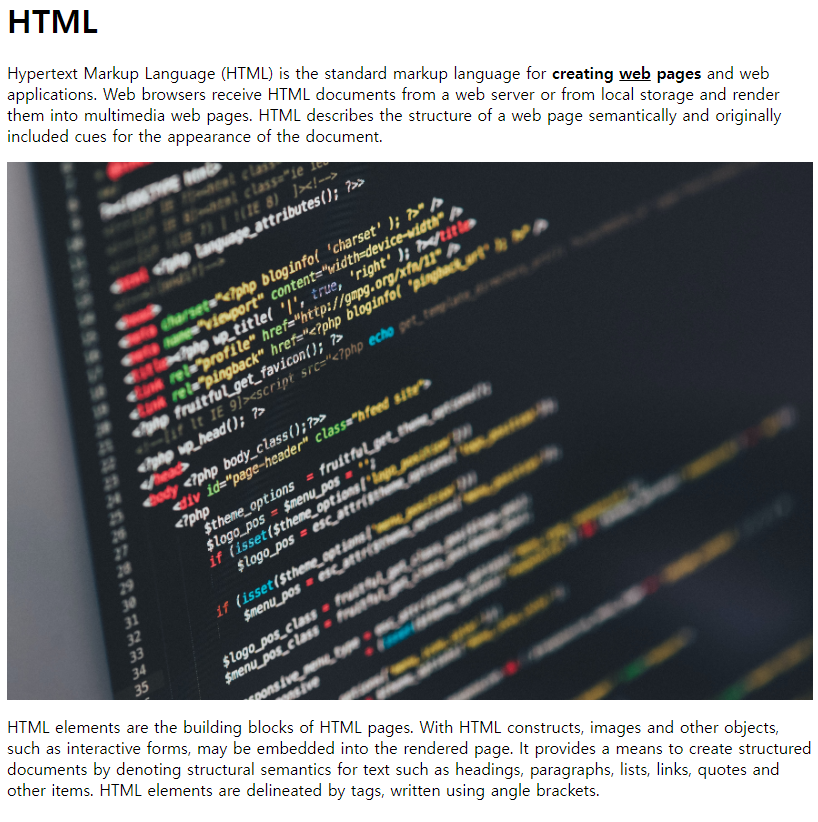
이미지 삽입 : <img src="파일이름.확장자">
ex) <img src="coding.jpg" width="100%">
<h1>HTML이란 무엇인가?</h1>
  <p>Hypertext Markup Language (HTML) is the standard markup language for <strong> creating
  <u>web</u> pages</strong> and web applications. Web browsers receive HTML documents from a
  web server or from local storage and render them into multimedia web pages. HTML describes
  the structure of a web page semantically and originally included cues for the appearance of
  the document.</p>
  <img src="coding.jpg" width="100%">
  <p>HTML elements are the building blocks of HTML pages. With HTML constructs, images and other
  objects, such as interactive forms, may be embedded into the rendered page. It provides a means
  to create structured documents by denoting structural semantics for text such as headings,
  paragraphs, lists, links, quotes and other items. HTML elements are delineated by tags, written
  using angle brackets.</p>
[ 결과 화면 ]
06 목차(부모-자식), 넘버링 | <ul>, <li>, <ol>
목차(리스트)
- 부모 <ul></ul>
- 자식 <li></li>
<li>HTML</li>
<li>CSS</li>
<li>JavaScript</li>
<ul>
  <li>HTML</li>
  <li>CSS</li>
  <li>JavaScript</li>
</ul>
[ 결과 화면 ]

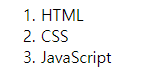
- 자동으로 숫자 넘버링 <ol></ol>
<ol>
  <li>HTML</li>
  <li>CSS</li>
  <li>JavaScript</li>
</ol>
[ 결과 화면 ]
07 타이틀, 본문 | <head>, <body>
타이틀 : <head> </head>
본문 : <body> </body>
웹페이지의 제목 : <title> </title>
한글을 작성해주었을 때 제대로 나오지 않는 경우가 있다. 현재 html 본문이 utf-8로 작성되어 있기때문에 웹페이지 열때에도 utf-8로 열게 하기 위해 <head></head>안에 <meta charset="utf-8"> 적어준다
[ 결과 화면 ]

07 링크
링크 : <a></a>
- href : 링크할 주소 입력
- target : 새로운 창에서 페이지 열리게 (ex. target="_blank")
- title : 마우스 커서를 가져다댔을때 보이는 꼬리표
ctrl + o(알파벳) : 파일 페이지 열기
'Programming Language > HTML\CSS\JavaScript' 카테고리의 다른 글
| [Javascript] this 바인딩 정리 (0) | 2024.01.02 |
|---|---|
| [Javascript] 실행컨텍스트(스코프, 변수, 객체, 호이스팅) (0) | 2024.01.02 |
| [Javascript] undefined, null의 차이 (0) | 2024.01.02 |
| [Javascript] 데이터 타입 - 종류/ 변수 할당/ 복사/ 가비지 컬렉터 (0) | 2024.01.02 |
| [HTML] HTML파일로 CSS, JavaScript 파일 가져오기 (0) | 2023.07.08 |